
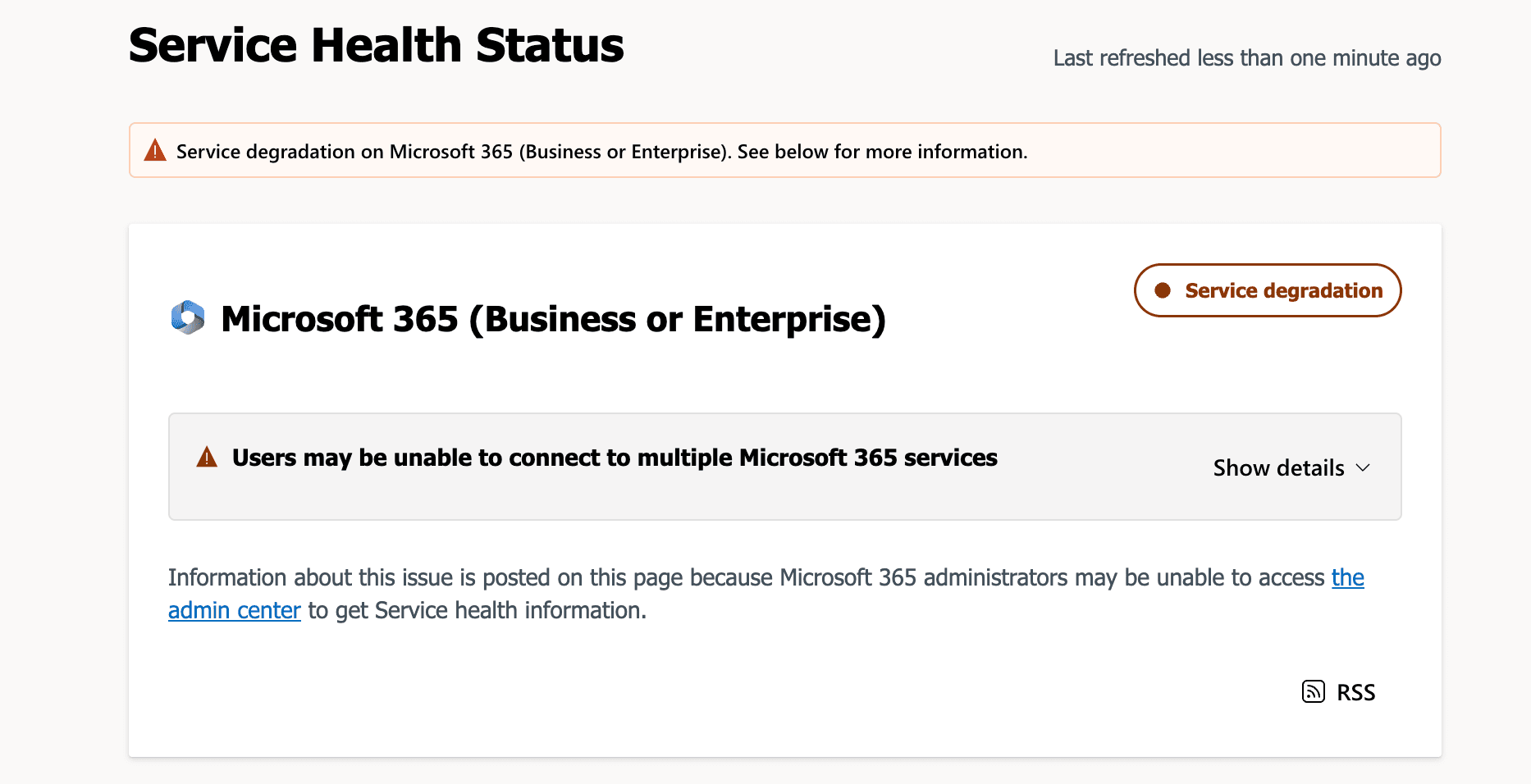
Update, 13 November 2026: this article reflects Microsoft’s public updates at the time of writing. Check the Microsoft 365 status page or your admin centre for the latest.
A major Microsoft 365 outage disrupted Outlook, Teams and other Microsoft services for businesses around the world. It began on Thursday 12 November in the US, which was early Friday 13 November in Sydney. If your team could not reach email this morning, you were not alone, and it was not your internet.
What happened in the Microsoft 365 outage
Microsoft first reported problems accessing Exchange Online mailboxes in the Americas. It later confirmed the issue could affect Microsoft 365 connectivity for users in any region.
Services Microsoft listed as potentially affected: Exchange Online (the email service behind business Outlook), Teams, SharePoint Online, Microsoft 365 Copilot and Microsoft Defender XDR. Planner and To Do were added later.
Scale: Downdetector logged more than 120,000 Outlook problem reports at the peak, and Australian reports were also climbing by mid-morning.
Flow-on effects: OpenAI and Anthropic both reported issues with their Microsoft 365 connectors.
Incident IDs: Microsoft is tracking the email disruption as EX1550543 and the wider event as MO1550821 in the Microsoft 365 admin centre.
What caused the Microsoft outage?
Microsoft said the load was not caused by a surge in traffic. A large number of its servers became unexpectedly unavailable after failing automated health checks, which pushed work onto the remaining infrastructure. Microsoft paused deployments and configuration changes, redistributed traffic, restarted servers and tested a workaround for the health check component.
At the time of writing, Microsoft had not named a final root cause. It had also not linked the outage to a cyberattack. The full explanation should appear in Microsoft’s post-incident report in the admin centre.
What to do during a Microsoft 365 outage
Confirm it is Microsoft, not you. Check the Microsoft 365 status page or Service health in the admin centre. Admin sign-in may also be affected, so use the public status page as a backup.
Tell your team early. A short message by SMS or a messaging app that does not depend on Microsoft stops everyone raising the same ticket.
Switch to your backup channels. Phone calls, mobile phones and a non-Microsoft messaging group keep urgent work moving.
Do not repeatedly resend important emails. Duplicates cause confusion once service returns.
Warn clients about urgent items. Call them about anything time-critical, such as settlements, deadlines or payments.
Be careful of scams. Attackers often exploit outages with fake “fix” emails and calls. Do not sign in through links in unexpected messages.
Check mail flow afterwards. Once service returns, confirm queued messages arrived and check calendars and shared mailboxes.
How Sydney businesses can prepare for the next outage
No cloud provider is immune, and a Microsoft outage can stop a business that depends on email and Teams. Resilience comes from preparation:
A written outage plan with who is told, how, and which alternative channels are used.
An out-of-band communication channel that does not rely on your Microsoft 365 tenant.
Independent backup of mailboxes and files, so you control your own data.
A known escalation path to your IT provider, with a phone number that does not depend on email.
Current contact lists stored outside Microsoft 365 for staff, key clients and suppliers.
Strong baseline security, including multi-factor authentication and email protection, so an outage is not made worse by an attack.
If you want to see how well your business would cope, our free IT health check reviews your Microsoft 365 setup, devices, email security, multi-factor authentication, admin access and backups, and gives you a short written report of what to fix first.
Need help with Microsoft 365 in Sydney?
The Bitrates provides managed IT services for businesses in Sydney and across Australia, including 24/7 monitoring, Microsoft 365 management, cyber security and tested backups, for a fixed monthly fee per user with no lock-in contract. We are based at Level 17, 400 George Street, Sydney.
Call us on 02 7254 2034, book a free IT health check, or read about our managed IT services.
Related reading: Microsoft 365 management for small business: settings that matter
FAQ
Is Microsoft 365 down right now?
Check the Microsoft 365 status page or Service health in your admin centre. If the incident IDs EX1550543 or MO1550821 are still active, the disruption is ongoing.
Why is Outlook not working today?
If many people cannot connect, it is likely a Microsoft-side issue. If only one user is affected, check their internet connection, sign-in and Outlook updates first.
Was the Microsoft outage a cyberattack?
Microsoft has not said so. Its public updates describe servers becoming unavailable after failing health checks, and no root cause had been published at the time of writing.
Will I lose emails during a Microsoft outage?
Usually not. Messages are typically queued and delivered once service returns, but check for delays and confirm anything urgent by phone.
How can I protect my business from the next outage?
Have a written outage plan, a backup communication channel, independent data backups and an IT provider you can reach by phone.